
Prayer times and Jumu’ah planning.
Waqti shows the day’s prayer times with a live countdown, so you know how long you’ve got to pray. It also helps you plan Jumu’ah, find time for voluntary prayers, and see the next prayer on your Lock Screen or Apple Watch. It’s for anyone who wants to make time for salah, even on a busy day.
Know your prayer window
Follow the day’s prayers on a clear timeline, with a live countdown and the time the current prayer ends. Between windows, you’ll see the countdown to the next prayer. Caution messages explain the times when voluntary prayer is restricted.

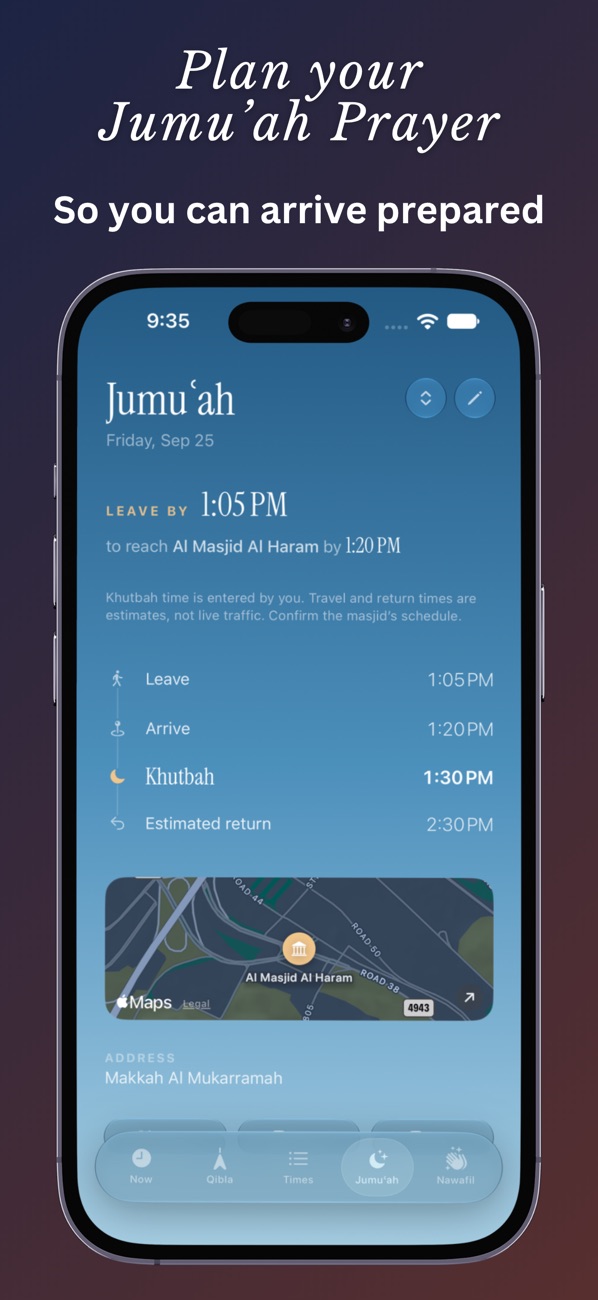
Plan Friday before you leave
Enter your masjid, the khutbah time, your travel time and how early you’d like to arrive. Waqti works backward to show when to leave, with an optional Friday reminder and a timeline for your visit. You can save directions and your own notes with the plan. Travel times are your own estimates, not live traffic.
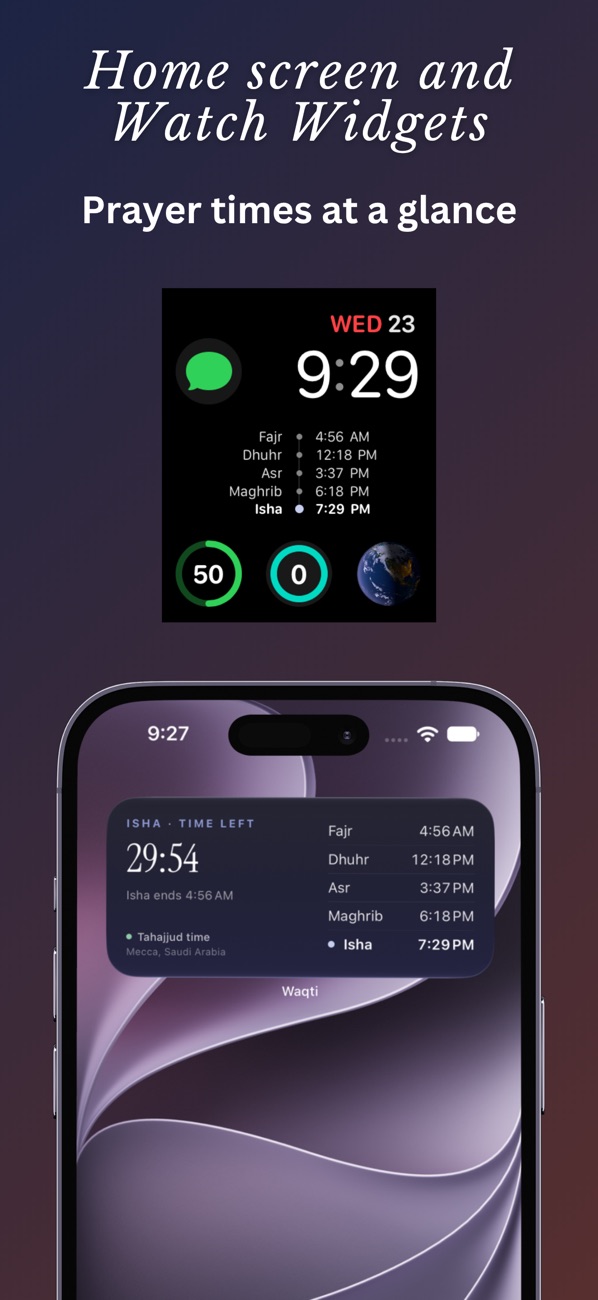
The next prayer on your Lock Screen and wrist
Add Home Screen and Lock Screen widgets for the next prayer, the time remaining or the full day. Turn on a Live Activity for a countdown on the Lock Screen and in the Dynamic Island on supported iPhones. The Apple Watch app and complications show prayer times on your wrist, with settings synced from your phone.
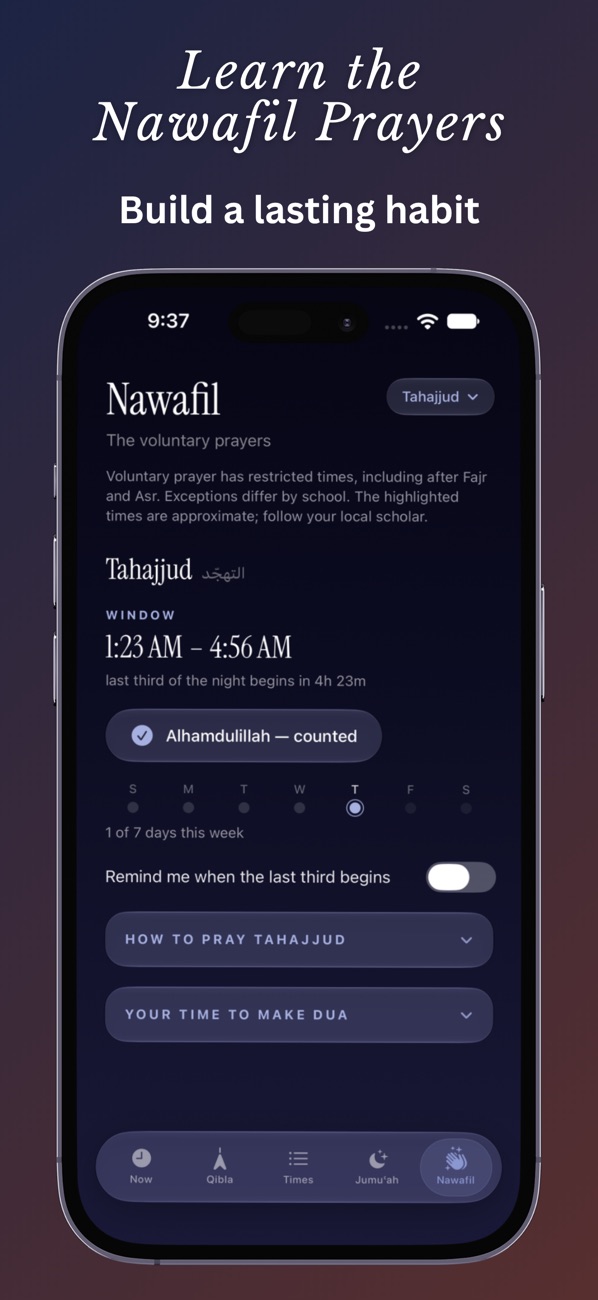
Voluntary prayers and fasting
Find the last third of the night for Tahajjud, see other voluntary prayer times, and follow step-by-step guides with Arabic, translations and source references. A glossary explains terms you might not know. For fasting, there are suhoor and iftar times, supplications and Ramadan guidance.
Set it up your way
- Use your location or search for a city. Prayer times follow that place’s time zone.
- Choose a calculation method and Asr convention, and adjust Hijri dates to match your community.
- Find the Qibla, with a travel mode for passengers when reliable direction-of-travel data is available.
- Get prayer reminders with English and Arabic names. Set each prayer to Default, Silent or Off, or apply one choice to all five.
- Prayer times are calculated on your device and stay available offline for your saved location.
Waqti Pro
Waqti Pro is an optional one-time purchase. It adds:
- Window Guard, a notification before a prayer window closes
- Advance reminders before prayer times begin
- Up to 10 Jumu’ah plans, each with its own masjid
- Up to 20 saved locations for quick switching
- Dawn, Midnight and Gold app icons
Good to know
- Free to download. Waqti Pro is an optional one-time purchase.
- Runs on iPhone and iPad with iOS 18 or later, and includes an Apple Watch app.
- No ads, no tracking and no account required.
- Prayer times and highlighted windows are calculated estimates. Where practices differ, follow your local masjid or a trusted scholar.
- City search, maps, purchases and restoring purchases need an internet connection.
- The app is in English.
Questions
Do I need an account to use Waqti?
No. There’s no account, no ads and no tracking.
Does Waqti work offline?
Yes. Prayer times are calculated on your device and stay available offline for your saved location. City search, maps and purchases need a connection.
Can I match my local masjid’s times?
You can choose the calculation method and Asr convention, and adjust Hijri dates to match your community. The times are calculated estimates, so where practices differ, follow your local masjid or a trusted scholar.
Is Waqti Pro a subscription?
No, it’s an optional one-time purchase. Everything outside Waqti Pro is free to use.